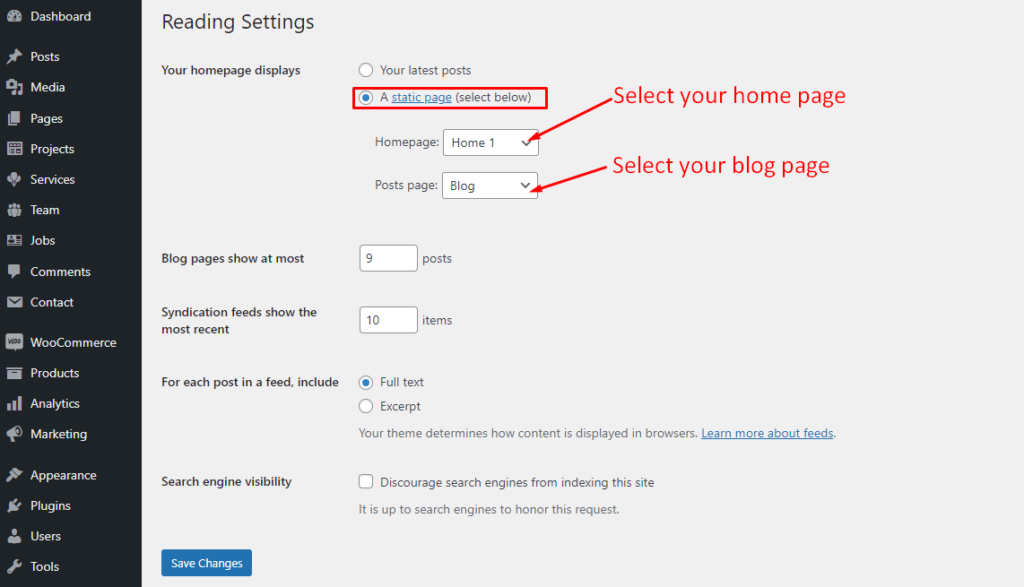
1. Set Up Home Page

Go to Appearances -> Settings -> Reading
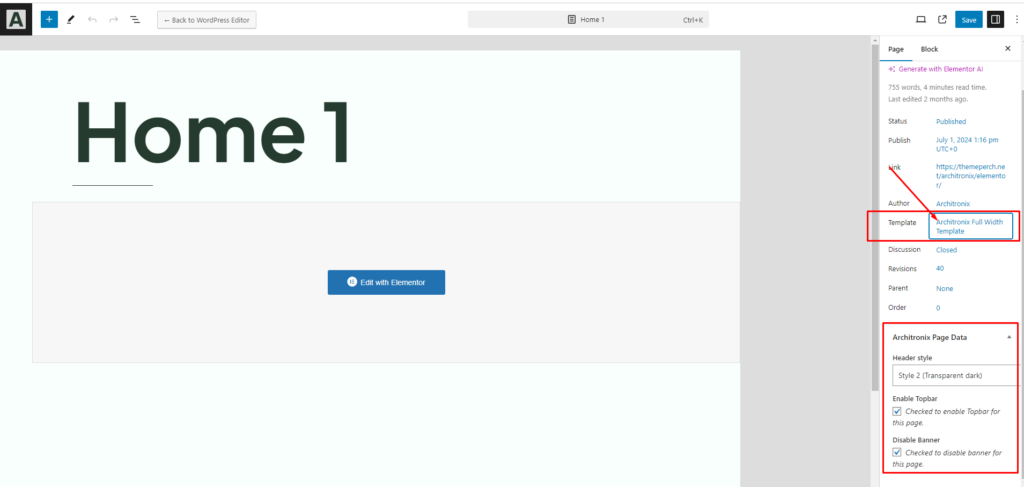
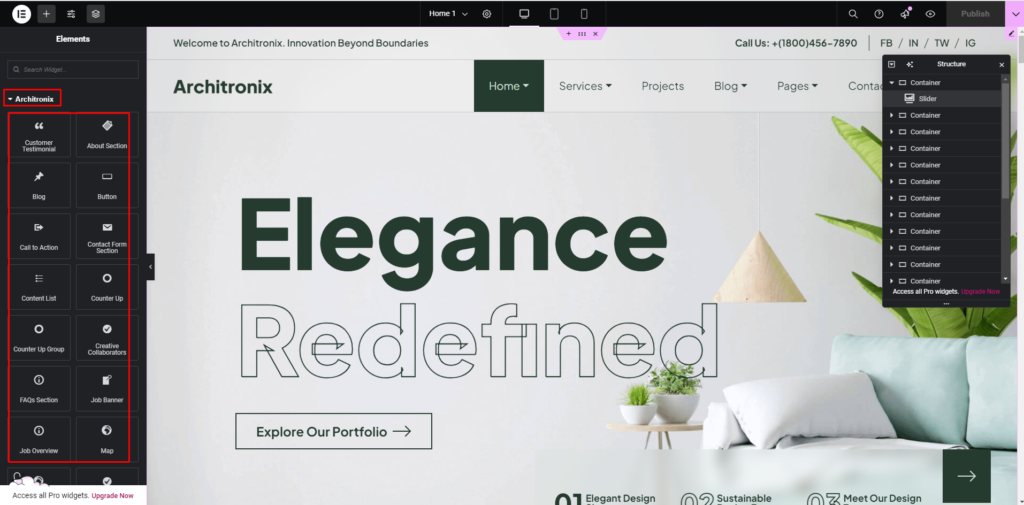
2. Config in Front page – Edit with Elementor Page Builder
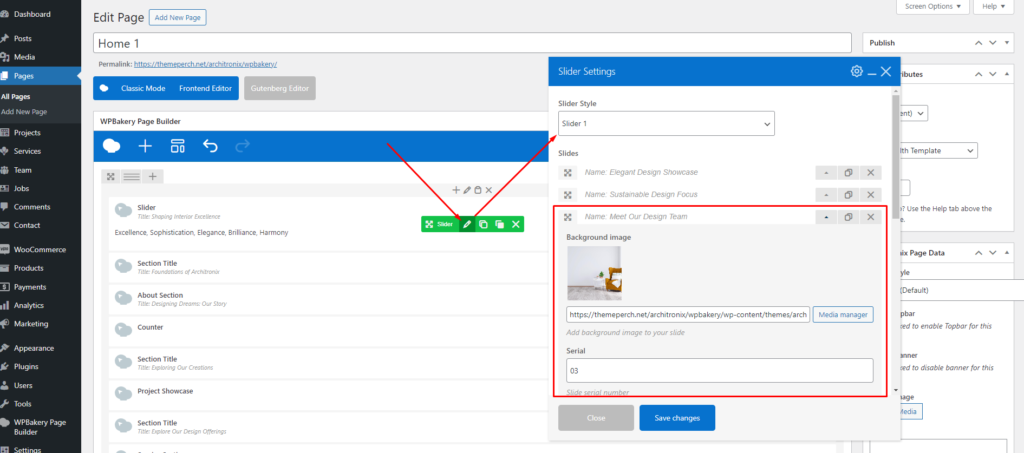
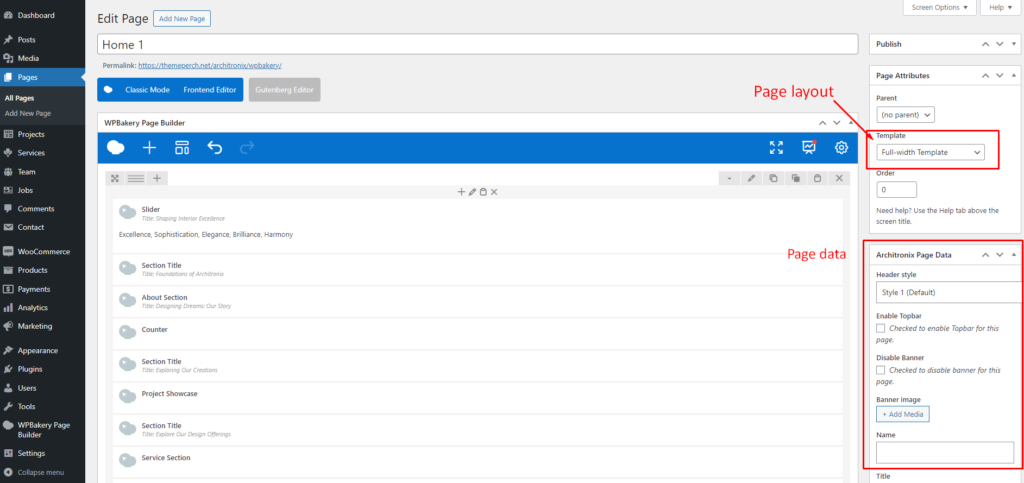
3. Config in Front page – Edit with WPBakery Page Builder

Go to pages -> Edit page
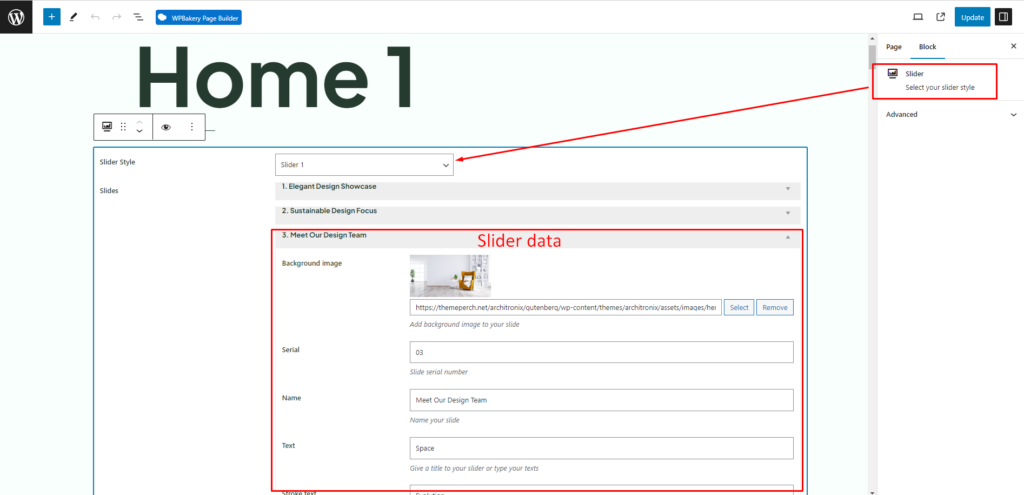
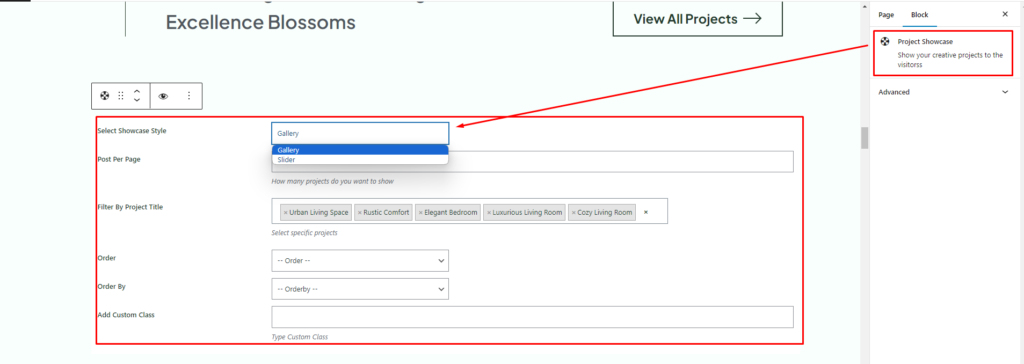
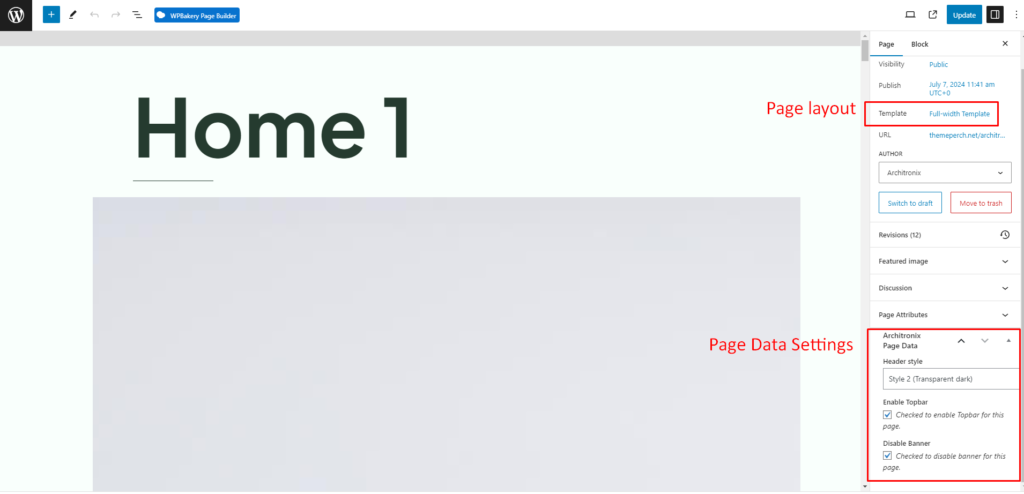
4. Config in Front page – Edit with Gutenberg

Go to pages -> Edit page
If you have any further questions don’t hesitate to get in touch with our Support team.

Thanks for choosing our Architronix WordPress Theme.

Leave a comment

Your email address will not be published. Required fields are marked *

Related Post

/ Documentation, Requirement

Requirement

To install this theme you must have a working version of WordPress. Please refer to WordPress documentation for further instructions. You can download the latest version of WordPress here  https://wordpress.org/download/ If the import stalls and fails to respond after a few minutes, or it fails with a simple error message like “Import failed,” You are…

/ Free Support, Requirement

Free Support

All of our items come with free support, and we have an advanced ticket system to handle your requests. Support is limited to questions regarding the theme’s features or problems with the theme. We are not able to provide support for code customizations or third-party plugins. If you need help with anything other than minor…

/ Install Plugins, Install Theme

Plugins Install

Please, follow the steps below to install the required plugins: Step 1 – After activating the theme, you will be asked to install the required and recommended plugins, you can proceed by clicking on Begin installing plugins Step 2 – In the next page, check all the plugins that you want to install then on…