
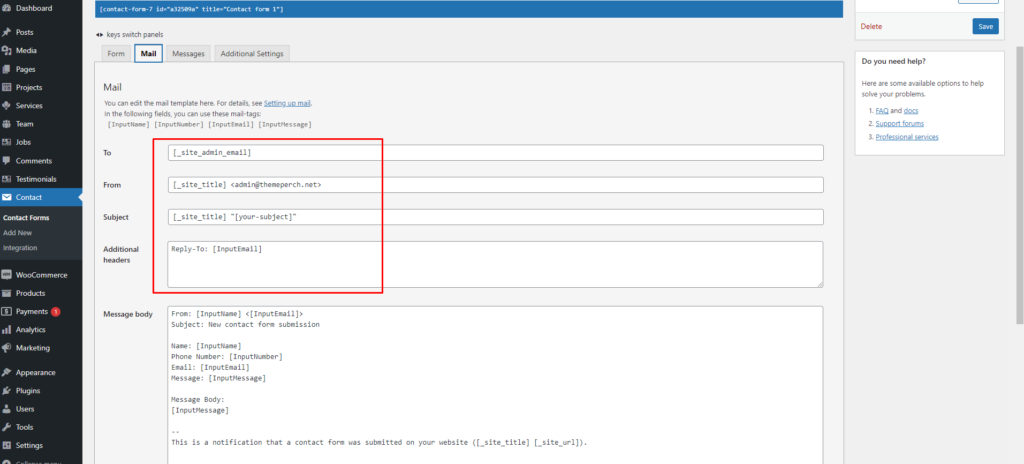
You can replace your own email address.

Here is plugin link: https://wordpress.org/plugins/contact-form-7/

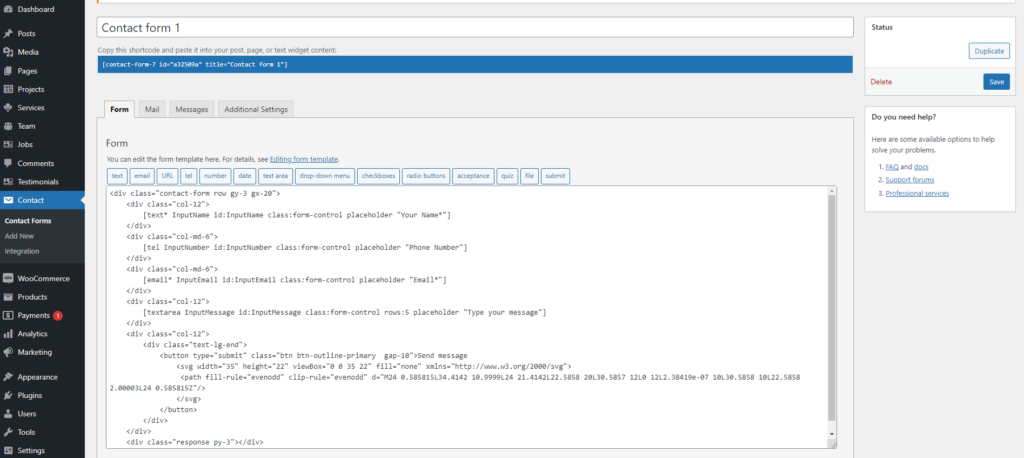
Contact Form 7 can manage multiple contact forms, plus you can customize the form and the mail contents flexibly with simple markup. The form supports Ajax-powered submitting, CAPTCHA, Akismet spam filtering and so on.
Showing here email template.
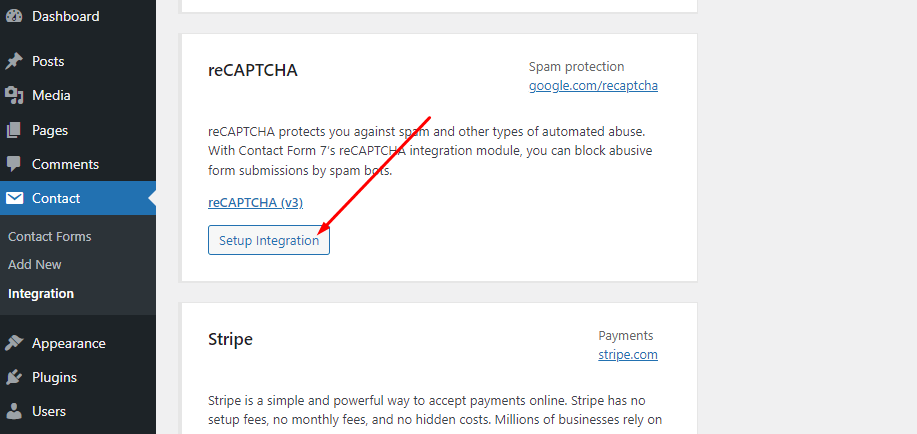
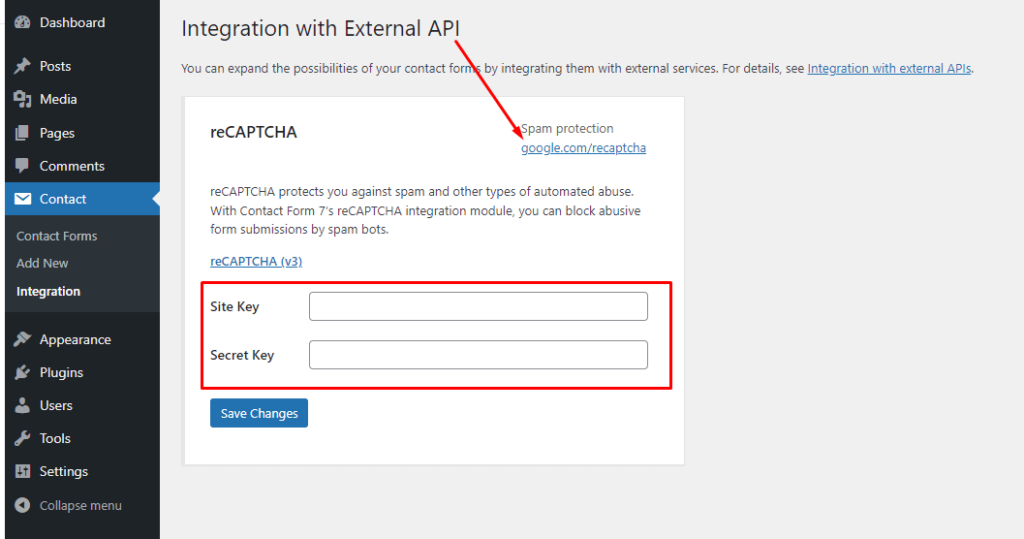
reCAPTCHA Setup Integration

reCAPTCHA protects you against spam and other types of automated abuse. With Contact Form 7’s reCAPTCHA integration module, you can block abusive form submissions by spam bots.
Leave a comment

Your email address will not be published. Required fields are marked *

Related Post

/ Install Plugins, Install Theme

Plugins Install

Please, follow the steps below to install the required plugins: Step 1 – After activating the theme, you will be asked to install the required and recommended plugins, you can proceed by clicking on Begin installing plugins Step 2 – In the next page, check all the plugins that you want to install then on…

/ Install Theme, Requirement

Theme Install

Install Architronix WordPress theme and plugins. 1.Download Package from ThemeForest. After purchasing our theme, you need to go your download area, click on button Download and select download All files & documentation. 2.Extract Package After download completed, you need to unzip the package and select the way you want to install the theme. Once the…

/ Install Plugins, Install Theme

Demo Import

After activating the Architronix theme and all theme-required plugins the system is ready to import demo data. To import demo data One Click Demo Import plugin must be activated. One Click Demo Import plugin is given as theme required plugin here. Go to Appearance -> Select Import Demo Data. Some Points to note: Demo data…