
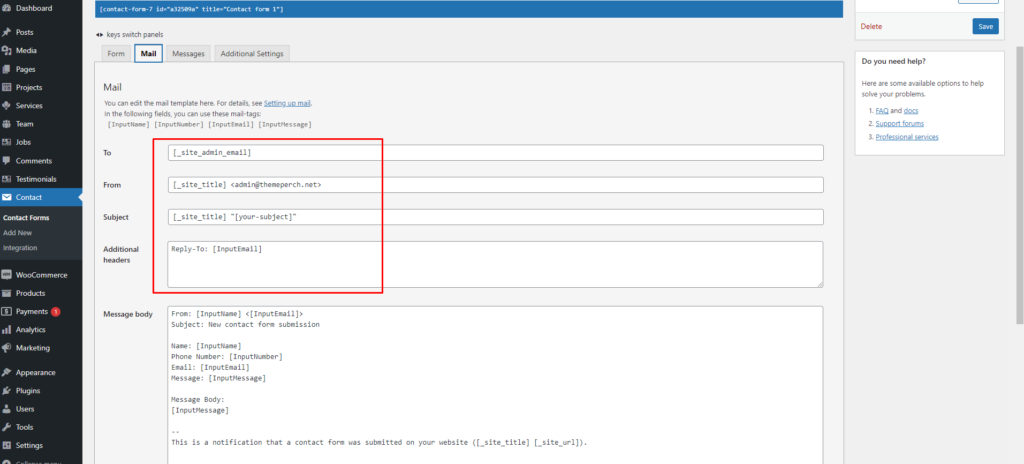
You can replace your own email address.

Here is plugin link: https://wordpress.org/plugins/contact-form-7/

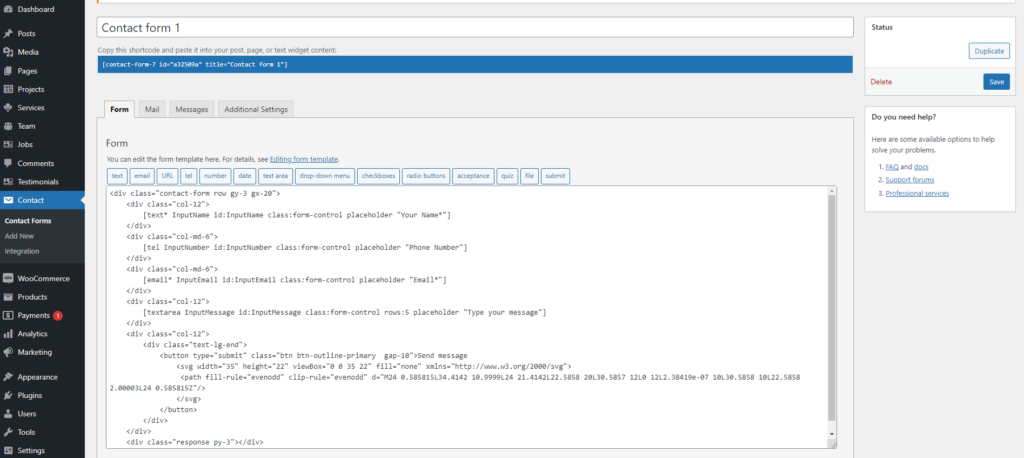
Contact Form 7 can manage multiple contact forms, plus you can customize the form and the mail contents flexibly with simple markup. The form supports Ajax-powered submitting, CAPTCHA, Akismet spam filtering and so on.
Showing here email template.
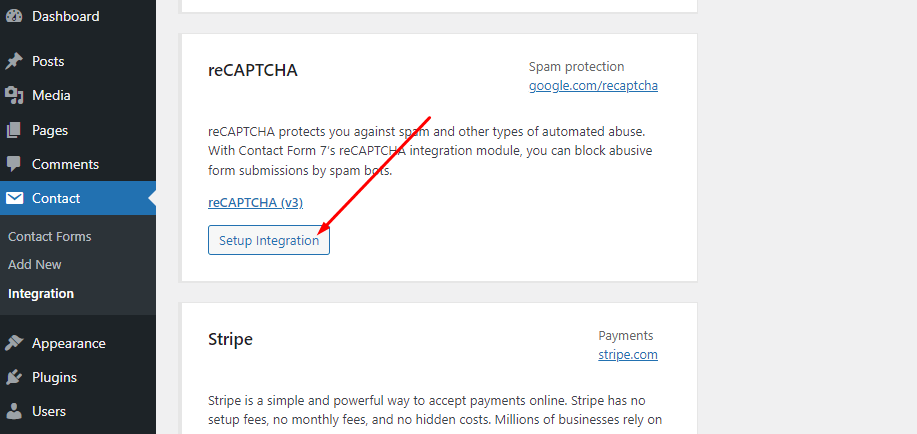
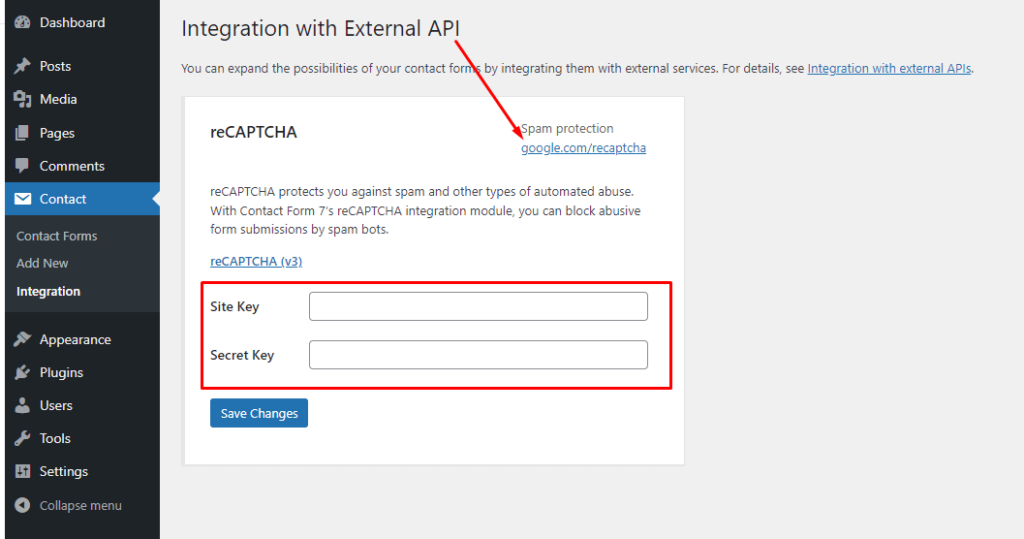
reCAPTCHA Setup Integration

reCAPTCHA protects you against spam and other types of automated abuse. With Contact Form 7’s reCAPTCHA integration module, you can block abusive form submissions by spam bots.
Leave a comment

Your email address will not be published. Required fields are marked *

Related Post

/ Page settings, Requirement

Page settings

1. Set Up Home Page Go to Appearances -> Settings -> Reading 2. Config in Front page – Edit with Elementor Page Builder 3. Config in Front page – Edit with WPBakery Page Builder Go to pages -> Edit page 4. Config in Front page – Edit with Gutenberg Go to pages -> Edit page…

/ Free Support, Requirement

Customizer settings

Theme template modifications can be made with customizer settings. Settings can be accessed quickly by clicking on the pencil icon marked red in screenshot below.Customizer settings are : Site Identity Color Settings Typography Settings Menu and Footer setting options customization (Architronix WordPress theme) Menus Homepage Settings Footer settings Additional CSS

/ Install Theme, Requirement

Theme Install

Install Architronix WordPress theme and plugins. 1.Download Package from ThemeForest. After purchasing our theme, you need to go your download area, click on button Download and select download All files & documentation. 2.Extract Package After download completed, you need to unzip the package and select the way you want to install the theme. Once the…